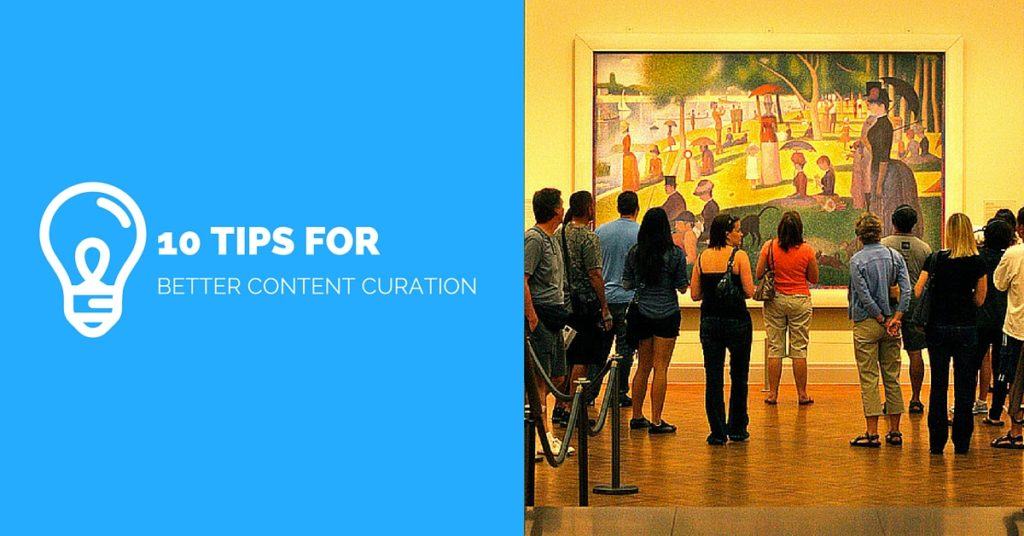
Finding great content that we know our audience will appreciate and sharing it with them is content curation. If it’s not already part of your online marketing strategy it should be.
Most of us are already content curators. Every time we share a link on Twitter or a photo from a Facebook page we are curating.
The Benefits Of Content Curation
It saves your time – If you create a lot of content you will know there is a huge time commitment involved. Finding and sharing content is far less time consuming and can compliment your own.
It saves your audience’s time – According to an Aol & Neilson study 27,000,000 pieces of content are shared every day. For your audience this is information overload, they need an editor, someone to present the best, most informative, educational or entertaining stuff to them. By cutting through the clutter you are saving them time.
It establishes expertise – If you curate content well you are demonstrating that you know what you are talking about. Think about how a museum curator is viewed, they are clearly leading experts in their field. As a content curator, you can be seen this way too. As a trusted source of information on your industry, you could become known as the go-to person or a thought leader on a specific topic.
10 Tips For Effective Content Curation
1. Edit fiercely, share only the best
It’s not enough just to find a whole lot of links and share them. You need to delve into the content and find the very best. People will only begin to trust the information you share if every single piece is a gem. Never share just for the sake of sharing, ask yourself if this will inform, educate or entertain your target audience.
2. Set the rules
I have a set of questions I ask myself before I share a piece of content:
1. As mentioned above ‘will this inform, educate or entertain’?
2. Is the content relevant to my audience? It’s ok to post off topic occasionally but the majority of what you share should be relevant to your industry and the interests of your target market.
3. What network is the content suitable for? For example, something I share on Linkedin or Google+ may be too heavy for my Facebook audience.
3. Use Google+ search
The search facility within Google+ is a fantastic content discovery engine. No matter what topic you search for you will find interesting content both from within Google+ and from the web. It gives you completely different results to your regular Google search and has the added advantage of allowing you to connect with new people who share your interests or expertise.
4. Use Feedly to subscribe to good content sources
Feedly is a website and an app for your mobile devices that will collate content from all your favourite blogs and sources. You just need to tell it which blogs you want to follow and it will keep tabs of them as they are updated.
I use this on a daily basis, it’s the equivalent of my daily newspaper and it’s where I find most of the content I share.
5. Use Google Alerts to find unique and interesting sources
I know every morning when I log on to Twitter I see the same Mashable and TechCrunch posts popping up in my stream over and over again.
There are always going to be some top bloggers or publishers for your industry and it is very easy to just share from these sources. To be a truly great curator you need to find some content that is less well covered by others. For this, I use Google Alerts. When you add a search term to Google Alerts it will send you a feed of content related to that search term.
Here’s how it works in conjunction with Feedly.
6. Use Twitter Lists
Create a Twitter list of all the best content creators and curators. When you scan through tweets from this list you will stumble upon content that you may have missed elsewhere. You will also find new sources to subscirbe to on Feedly.
Here’s how to create a Twitter list
7. Set a theme or topic for curation
Setting quarterly or monthly themes for your content will make the curation process much easier. Having a theme focusses your mind and it will also bring your audience along with you. For example, I am covering time-saving this month, most of the links I’m sharing on Facebook and Google+ fit into this theme and all the links I share in my newsletter do.
Over at We Teach Social, we share curated blog posts on our monthly themes. Here’s a blog post Lorna wrote on our February theme – Getting your customers to love you.
8. Write roundup posts
I write a curated blog post once a week. In ‘The Social 7’ I share my favourite reads from the last seven days. Some of these may be new, some are posts I’ve stumbled upon whilst researching a topic. It’s the quickest post I write in the week and since I started using IFTTT it’s become an even quicker process.
It’s tempting just throw up a list of links in a post but if you want to get the most from your curation it’s important to tell your audience why you are sharing it. A sentence or short paragraph about each link you share is all you need.
9. Send a curated newsletter
Mari Smith sends out a weekly newsletter featuring three useful links she has discovered during the week. I always enjoy seeing this drop in to my mailbox and the content she shares is always top quality.
As well as sharing the links Mari gets to tell us about any offers or events she has coming up. It’s a great way to add value to an otherwise salesy newsletter.
10. Share curated content daily on your social networks
Most of you are probably already doing this but I recommend planning your shares in advance. You may not know what content will pop up and inspire you but you are able to identify how often you need to share curated content and at what time it will work best on each network you use. All that remains is for you to slot the content into your schedule as it appears.
If you enjoyed this blog post why not subscribe to my newsletter or my blog posts via email. Click here for more info.
Get a headstart on Google Analytics 4 & understand the lingo with the GA4 phrase book