
The more I use Instagram the more I love it. I love sharing stories from my working life. I love creating content for it, I love the way it allows me to meet and communicate with other people. I enjoy looking at other people’s content. I’m totally hooked but there’s one big downside for those of us using it for business and that’s linking.
Instagram only allows you one clickable link on your entire account and that’s in your bio. What’s worse that link isn’t trackable. When people click it Google Analytics records it as ‘direct’ traffic. Frustratingly this means you can’t even tell if that one link you are using is driving any traffic to your website.
In this post, I’m going to show you a three-step method for measuring Instagram traffic to your website.
Step 1. Create a Hidden Landing Page for Instagram
If you are linking to the home page of your website from your Instagram bio you have to stop.
Creating a specific landing page for Instagram serves two purposes
1. You are keeping content relevant for the people who click.
It is common practice to direct people to the link in your bio from your Instagram posts. But what happens when someone finds an old post from you? Perhaps last month you were promoting a sale but this month you are having an event. If people discover old content they will lose interest if the link in your bio isn’t delivering what was promised.
If you create a landing page it can be a gateway to all the content you are promoting via your Instagram account.
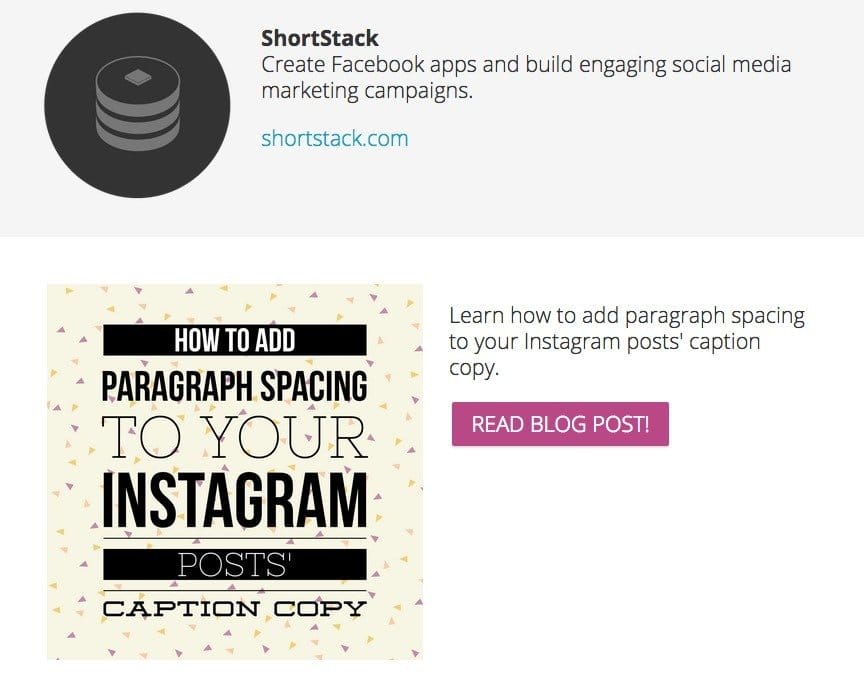
Take a look at this Instagram landing page from ShortStack. Scroll down and you will find all the recent content they have promoted via their Instagram feed.
2. You are able to measure traffic to that specific page
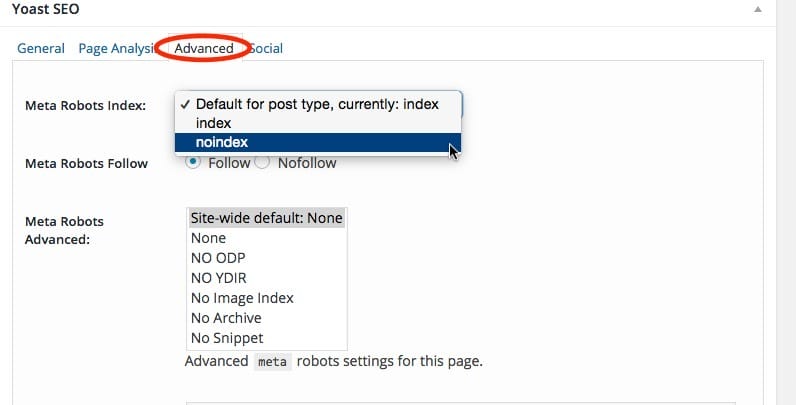
To measure the effectiveness of your landing page tell Google and other search engines not to index it. This means you won’t see any organic traffic from search results. The only way people can find your page is if they click from your Instagram bio.
If your website is built on WordPress, the easiest way to prevent search engines crawling your landing pages is to use the Yoast plugin.
Once installed you will have the option to change the indexing settings at the bottom of each post (see below).
If you aren’t using WordPress talk to your web developer about how to do this.
How to set up a landing page
The cheapest way to set up a landing page is to create a new page on your website. Remember, don’t link to it from your homepage. This is a secret page just for Instagram.
If you want to get serious about landing pages you can use a tool to create something special. Sites like ShortStack, Unbounce and Instapage offer easy to design pages for a monthly fee.
For a mid-budget solution try Thrive Content Builder for WordPress. We use this on the We Teach Social website and have found it effective and simple to use. Instead of paying a monthly subscription you can buy this tool outright. Perfect for those on a small business budget.
Step 2: Create a Tracking Link
Now you have a landing page you need to measure the traffic to it. To do this you will need to create a tracking link for that page using Google URL builder. This allows you track the people who visit your website using Google analytics.
Go to the Google Analytics URL Builder form.
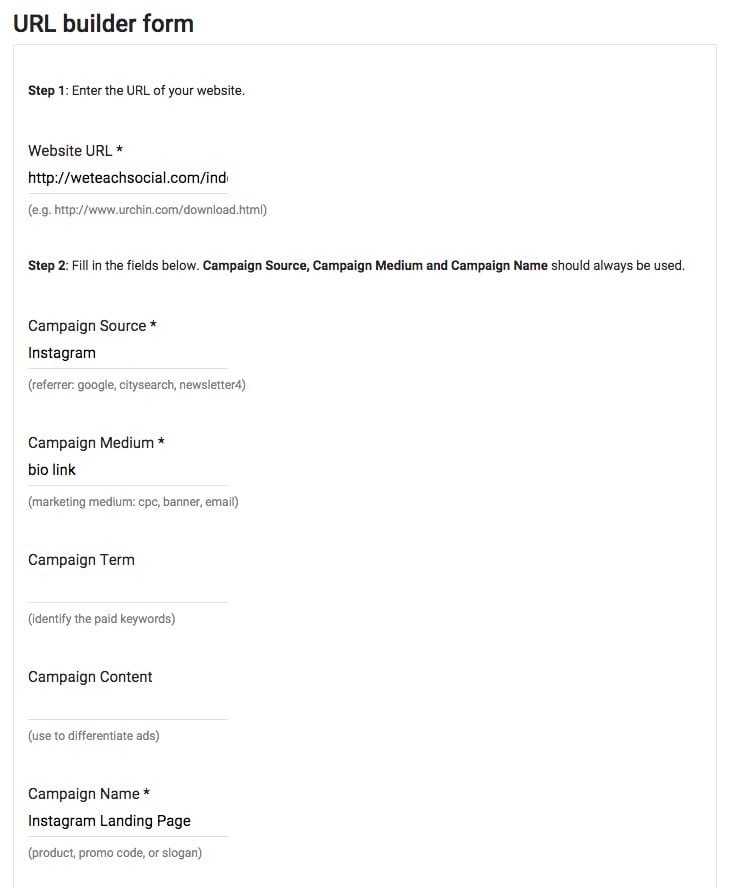
Here’s what you will need to complete. These are my suggestions but you can add info that is more relevant to you:
Website URL: Link that you want to send your Instagram followers to
Campaign Source: Instagram
Campaign Medium: Bio
Campaign Name: Instagram Landing Page
Click ‘Generate URL’
Google will create a tracking link for you from the information you have given it.

Copy this and paste it into the address bar of your browser.
Now check that the link works, here’s how:
- Log into your Google analytics.
- Click on the date range at the top of the page and select today’s date

- Select Aquisitions from the side bar menu
- Then campaigns
- All campaigns
Your campaign title should appear here

Step 3: Shorten It
Now you have a very long, ugly, forgettable link. The final stage is to shorten it.
I use Bit.ly to shorten my links. This makes a short, easy to remember redirect link for my Instagram bio. I can customise it to be more memorable and bit.ly will show me how often it has been clicked.
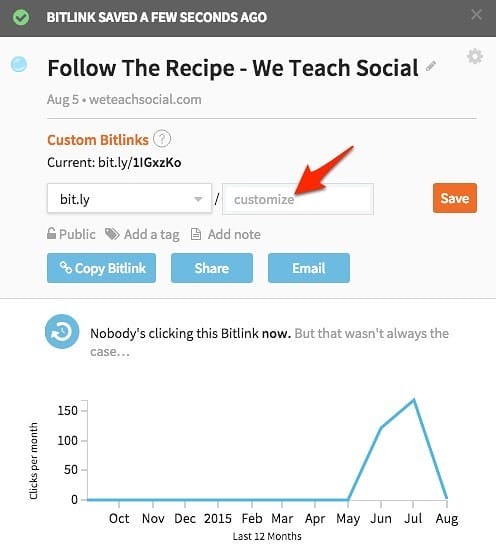
Test the link and if everything is working use it as the link in your Instagram bio.
Now you have a system for measuring how much traffic you are getting to your website from Instagram.
What If You Don’t Have A Landing Page or Google Analytics?
If you don’t want to set up a specific landing page or don’t have Google analytics you can still use this method.
Each tracking link you create is a unique link to your page. This means that when you shorten it you are creating a unique short link.
Use the Google Analytics URL builder to create a different version of your link for each social network. Then measure click throughs from each network on the Bit.ly website.
Your Turn
How do you measure traffic to your website from Instagram? Have you tried this method or something like it. I’d love to hear your thoughts below.
Get a headstart on Google Analytics 4 & understand the lingo with the GA4 phrase book