• Skip to primary navigation
  • Skip to main content
  • Skip to primary sidebar
  • Skip to footer

Amanda Webb Spiderworking - Google Analytics Setup and Training | Digital Marketing Measurement Support

Your Friendly Google Analytics Geek | Taming GA4 One Report at a Time

  • Tel: 085 113 7542
  • Home
  • About
  • Work With Me
    • Google Analytics Done-for-you
    • Training & Mentoring
  • Speaking
  • Blog
  • Get In Touch
You are here: Home / Pinterest / Find Out When Your Website Is Pinned With PinAlerts – Cool Tool

Find Out When Your Website Is Pinned With PinAlerts – Cool Tool

April 22, 2013 by Amanda Webb

Share
Tweet
Share
Pin
Email
WhatsApp

PinAlerts

I’m a lazy pinned. I’m working hard to get more excited about Pinterest but I still only use it sporadically.  If you are lazy like me or even if you don’t use Pinterest at all there are a few things you can do to encourage more pins from your site. For example you can make sure it’s easy to pin your content by adding a ‘pin it’ button to your site.

If you want to find out how sucessful you are being you can find out how often content from your site has been pinned. See below:
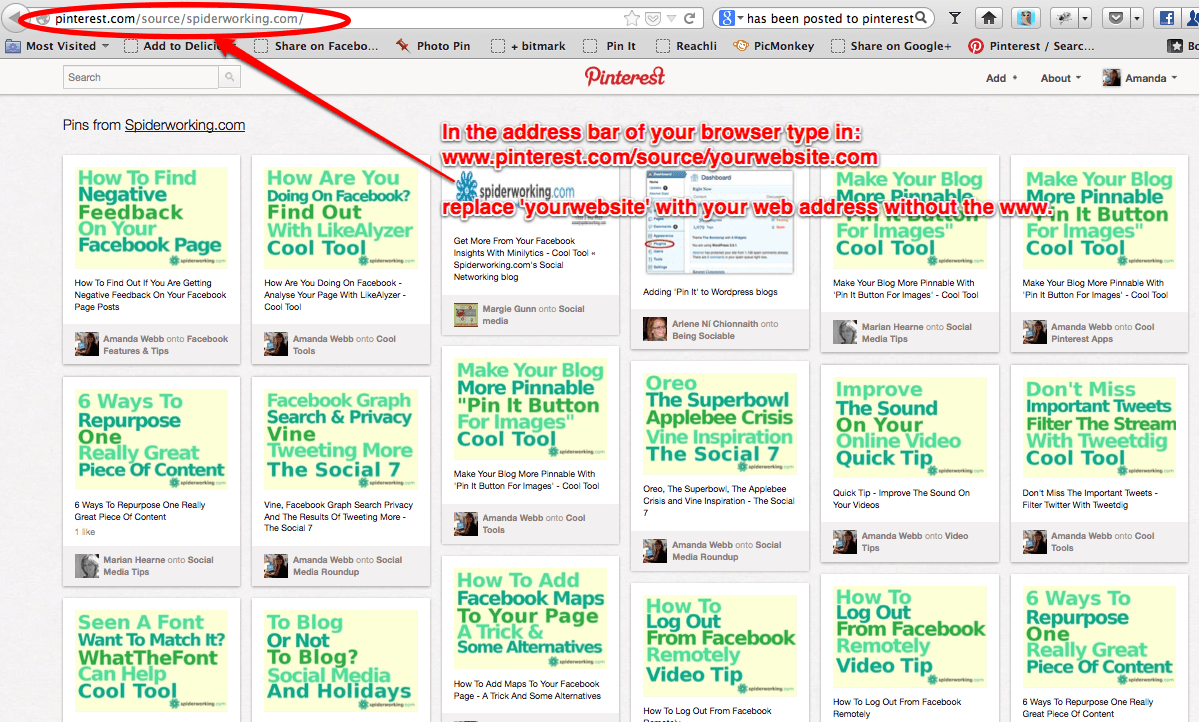
pinterestsearch

This weeks cool tool PinAlerts is a really handy one that will tell you when someone has pinned something from your website. This gives you the opportunity to thank the pinner as well as monitoring the success.

Here’s how it works:

  • Visit the website www.pinalerts.com
  • Click ‘Register’

PinAlerts3

  • Fill in your details and click on ‘Register’
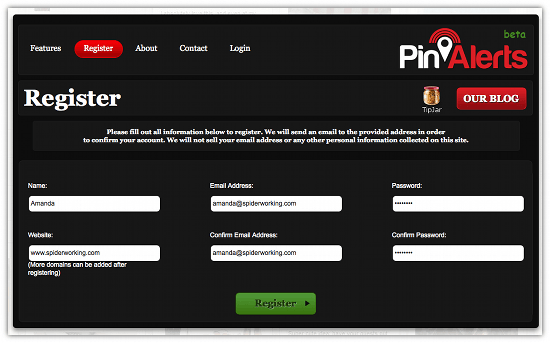
PinAlerts2

  • You will receive an email to verify your account
  • Click the link in your emal verification and then sign in
  • Now you can add as many domains as you want to monitor and choose how often you want alerts – I chose ‘as it happens’ as I’m sure there isn’t a flood of pins from my site.
  • Click ‘Create a PinAlert’

PinAlerts3a

Now you are all set, sit back and wait for your notifications. I’m still waiting!

If you enjoyed this blog post why not subscribe to my newsletter or my blog posts via email. Click here for more info.

Related Posts:

  • Amanda pulls an 'o' face, the words 'who visits your website' float to her right
    Is Your Ideal Customer Visiting Your Website?…
  • cro-for-low-traffic-websites-Usman-Qureshi
    Optimising Low-Traffic Websites: Practical CRO Tips…
  • search-console-ga4
    What search terms are people using to find my…
  • should-you-have-home-in-your-website-navigation-v2
    Is the home link necessary in website navigation?
Share
Tweet
Share
Pin
Email
WhatsApp

Filed Under: Pinterest, tools Tagged With: App, pinalerts, Pinterest, tool

Primary Sidebar

Work With Me

From Google Analytics Training to the ROI Escalator Programme. Find out how I will help you get more ROI for your business

Amanda, smiling with red hair draped over her shoulders. You can trust her (but I would say that wouldn't I)

Get ROI Help Straight To Your Inbox

Get daily tips and inspiration on how improve your digital marketing ROI using analytics

Privacy Policy

Let's Connect

let's connect on LinkedIn Subscribe on YouTube Follow on Facebook

Footer

Google Analytics Certified
Very Blog Awards Winner
Social Media Examiner Winner
Social Agency Scout
  • Done For Your Google Analytics 4 Packages
  • Training & Mentoring
  • Speaking
  • That Analytics Podcast – Learn to love your stats
  • FREE Webinar: Finding the Gold in Your Google Analytics
  • Get In Touch

© Copyright 2017-2024 Spiderworking.com - Social Media For Small Business · All Rights Reserved · Privacy Policy · Cookie Policy · Maintained by FlyingFish.ie

