
I’d like to preface this weeks cool tool by saying I haven’t been able to get it to work yet. Pingraphy looks like a great solution to stop you flooding the Pinterest feed with your pins. I originally found it on Whcingya’s blog so I’m sure the issues I’m having are just a technical glitch. You can read Ching’s review here.
I seem to have avoided the Pinterest bug, I can see that lots of people enjoy using it and there are lots of really cool images to be found, I have even heard anecdotally that it’s a great source of traffic to websites but I just can’t get into it on a personal level. Having said that I am using it. I find it a useful tool for bookmarking blog posts I find, particularly those that are Pinterest related.
One of the things that can bug you about Pinterest is that you can tell when someone has been on a Pinterest binge, your feed will suddenly fill up with image after image from one person. It doesn’t upset me too much, my Pinterest friends have great taste but from a marketing point of view I’d be worried that I’d be missing some of my audience. Just because I’m online it doesn’t mean that my customers are. That’s where this weeks cool tool comes in handy. Pingraphy allows you to schedule your pins so you can spread them out during the day and hopefully reach more of your target market.
Here’s how it works:
Log in to Pingraphy using your Pinterest details
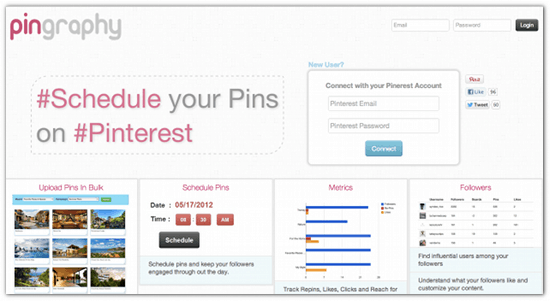
Set up and account
Drag the pingraphy bookmarklet onto your bookmarks bar
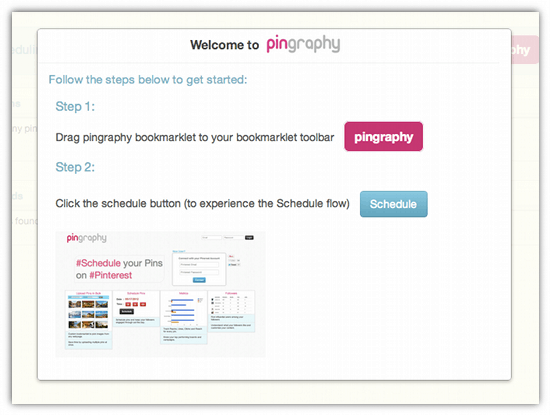
Visit a site that you want to pin from
Click on the bookmarklet you’ve just added to your bookmark bar
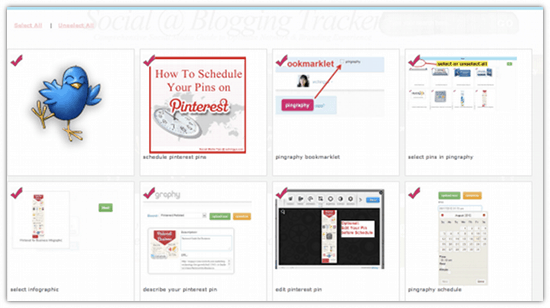
Pingraphy auto selects all the images so click ‘unselect all’ on the top right hand side of the screen and choose the image you want to pin
Click ‘next’
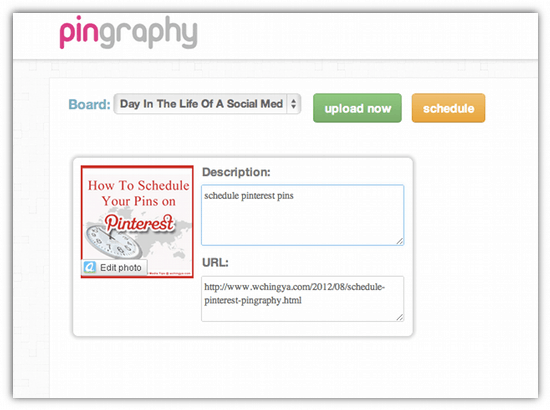
Choose the board you want to pin to from the drop down menu
Click on schedule
Change the timezone to your own
Click on the schedule options and choose the day and time you want to schedule on
Use the sliders to choose a particular time and date
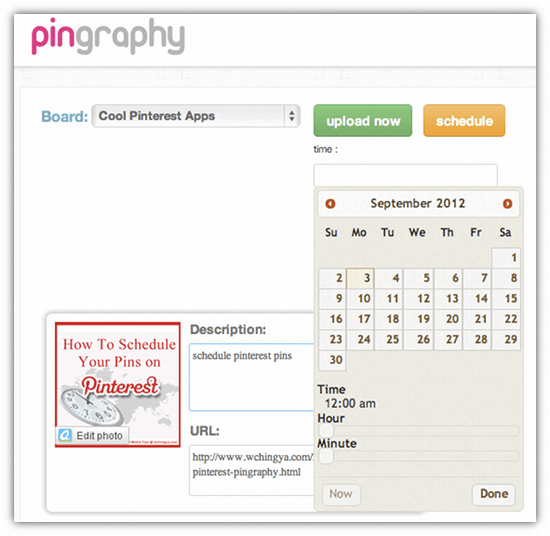
This is where it stopped working for me but according to Ching’s post scheduled pins appear on your dashboard until posted to Pinterest, it also records the number of Likes, RePins and comments on each pin you have scheduled.
I love the idea of this app but I’m not sure how it sits with some of the others I use. At the moment I pin everything through Pinerly as it offers some great stats, scheduling would be a great addition to this, I’m not sure I’d travel to another app just for the scheduling. However if I was a heavy pinner I might think differently.
I don’t like the way that it automatically selects all images from a post when I go to pin. It would be easy to continue from this point without de-selecting and that would mean I’d be flooding people’s streams with irrelevant images. I also find the sliders hard to use. I’d much rather type in a time or choose a time from a drop down menu. However these are minor concerns. If I can get it working for me I’m sure this is a tool I would use from time to time, particularly if I need to target an audience in a different timezone.
Give it a go and let me know if you have success and if it is a tool that you would use yourself.





